
Download MATLAB – Powerful Math, Graphics & Programming Tool
Overview
MATLAB, developed by MathWorks, is a comprehensive development environment that blends mathematical computation, advanced graphics, and a unique programming language into a single, highly‑integrated platform. Engineered for engineers, scientists, and data analysts, MATLAB makes it possible to model complex systems, visualize data in real time, and prototype algorithms with minimal code. The core strength of MATLAB lies in its matrix‑oriented language, which lets users express linear algebra, statistics, and calculus operations as naturally as they appear on paper.
With the Live Editor, scripts turn into interactive documents that combine code, results, and formatted text, enabling seamless sharing of reproducible research. MATLAB also offers an extensive library of licensed toolboxes—ranging from signal processing to deep learning—that extend the base functionality with specialized functions and pre‑built algorithms. Whether you are a student learning basic calculus, a researcher developing novel control systems, or a professional deploying machine‑learning models on the cloud, MATLAB provides a consistent workflow from prototype to production.
Its ability to generate C/C++, CUDA, and HDL code means that algorithms designed in MATLAB can be transferred directly to embedded processors, GPUs, or FPGA hardware without rewriting the core logic. In short, MATLAB is not just a calculator; it is a full‑stack environment that supports rapid iteration, high‑performance computation, and easy collaboration across disciplines.
Key Features that Set MATLAB Apart
- Matrix‑Centric Language: Native support for multidimensional arrays simplifies complex mathematical expressions.
- Live Editor: Combines code, output, and formatted text in an executable notebook‑style document.
- Extensive Toolbox Ecosystem: Over 70 add‑on toolboxes covering AI, robotics, finance, bioinformatics, and more.
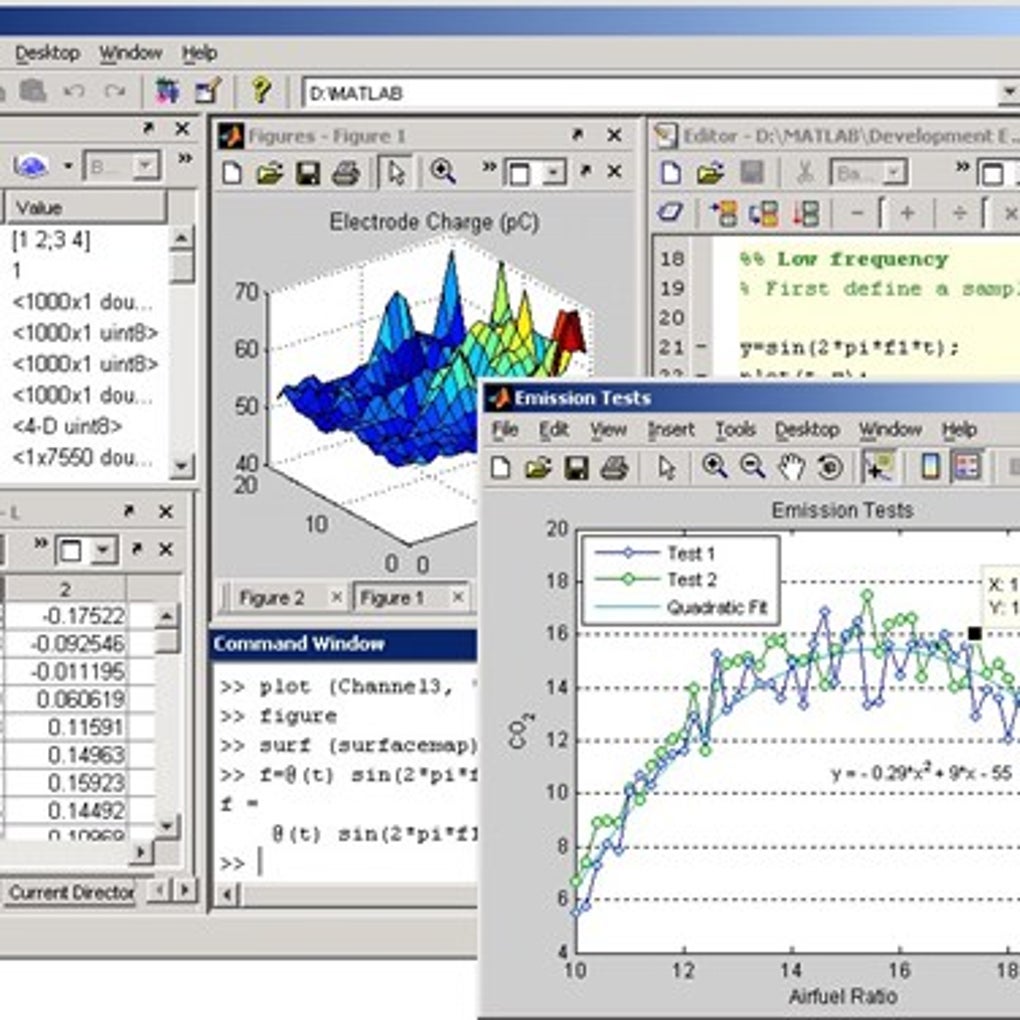
- Advanced Visualization: 2‑D and 3‑D plotting, interactive graphs, and custom UI components for data exploration.
- Code Generation: Automatic conversion of MATLAB algorithms to C, C++, CUDA, and HDL for deployment on embedded systems.
- Cloud & Cluster Integration: Seamless scaling of computations to MATLAB Parallel Server, AWS, Azure, or on‑premise clusters.
- Simulink Connectivity: Tight integration with Simulink for model‑based design, simulation, and automatic code generation.
- Robust Data Import/Export: Supports CSV, Excel, SQL, Hadoop, and many scientific file formats.
- Built‑in App Designer: Drag‑and‑drop UI builder for creating professional desktop and web apps.
- Community & Documentation: Comprehensive help files, tutorials, and a vibrant user community for fast problem solving.
Installation & Usage Instructions
Getting started with MATLAB is straightforward. First, visit the official MathWorks website and create a MathWorks account if you do not already have one. After logging in, select the “Download MATLAB” button and choose the appropriate installer for your operating system (Windows, macOS, or Linux). The installer guides you through the license activation process—students can use the free online license, while professionals typically enter a purchased license key. Once installed, launch MATLAB; the default workspace displays the Command Window, the Current Folder browser, and the Editor for script development.
To begin a new project, open the Live Editor (File → New → Live Script) and start typing MATLAB code. For example, type A = magic(5); to generate a 5×5 magic square, then imagesc(A); colorbar; to instantly visualize it. MATLAB’s auto‑completion and built‑in function browser help you discover syntax quickly. If you need specialized functionality, open the Add‑Ons Explorer and install the required toolbox—this process is managed directly within the MATLAB environment.
When you are ready to share your work, click “Export” in the Live Editor to produce PDF, HTML, or LaTeX documents that embed code, results, and explanatory text. For large‑scale computations, configure a parallel pool (parpool) and distribute tasks across multiple cores or a cluster. Finally, use the “Deploy” options to generate standalone executables or integrate your MATLAB code with external applications via APIs.
Compatibility, Pros & Cons
MATLAB runs on the three major desktop operating systems: Windows 10/11 (64‑bit), macOS 10.15+ (Catalina and later), and major Linux distributions such as Ubuntu, Red Hat, and CentOS. The same MATLAB scripts can be executed across these platforms without modification, which is ideal for collaborative research teams that use mixed environments. Additionally, MATLAB supports GPU acceleration on NVIDIA and AMD cards, and it can be deployed to cloud platforms like AWS, Azure, and Google Cloud via MATLAB Parallel Server.
Pros
- Intuitive matrix language eliminates the need for low‑level loops in many cases.
- Rich toolbox library covers virtually every engineering and scientific domain.
- Live Editor blends documentation, code, and visual output for reproducible research.
- Seamless code generation to C/C++, CUDA, and HDL accelerates deployment on hardware.
- Strong integration with Simulink enables model‑based design workflows.
Cons
- High licensing cost for professional and enterprise users.
- Steeper learning curve for programmers accustomed to general‑purpose languages.
- Heavy memory usage for very large datasets; may require additional hardware.
- Limited support for mobile platforms (no native iOS/Android app).
- Some toolbox functions are only available in the latest releases, creating version‑dependency issues.
MATLAB remains the gold standard for technical computing because it combines an expressive language with a powerful suite of tools. While the price point can be a barrier for freelancers, the productivity gains—especially when working with large‑scale simulations or deep‑learning models—justify the investment for most organizations.
FAQ – Frequently Asked Questions about MATLAB
Is there a free version of MATLAB for students?
Yes. MathWorks offers a discounted student license that provides full access to MATLAB and most toolboxes at a reduced price. Some universities also provide campus‑wide licenses that allow students to download MATLAB for free.
Can MATLAB code be run on GPUs?
Absolutely. MATLAB includes Parallel Computing Toolbox, which enables you to offload matrix operations and deep‑learning workloads to NVIDIA and AMD GPUs with just a few lines of code (e.g., gpuArray).
How does MATLAB integrate with Python?
MATLAB provides a Python engine that lets you call MATLAB functions from Python scripts and vice‑versa. The matlab.engine package allows seamless data exchange between the two environments.
Is MATLAB suitable for real‑time embedded systems?
Yes. With MATLAB Coder and Simulink Coder, you can generate C/C++ code that runs on microcontrollers, ASICs, or FPGAs, making it a solid choice for real‑time control applications.
What support options are available for MATLAB users?
MathWorks offers extensive documentation, video tutorials, community forums, and direct technical support for licensed users. Enterprise customers also receive priority support and training services.
Conclusion – Why You Should Download MATLAB Today
If you need a robust, scalable platform for mathematical modeling, data analysis, or algorithm prototyping, MATLAB delivers a proven, industry‑standard solution. Its combination of a high‑level language, powerful visualizations, and an ever‑growing toolbox ecosystem means you can focus on solving problems rather than wrestling with low‑level code. Whether you are a student eager to learn, a researcher publishing cutting‑edge results, or an engineer deploying real‑time systems, MATLAB provides the tools to accelerate your workflow. Click the link below to download the latest MATLAB installer, start a free trial, and experience the productivity boost for yourself.
Download MATLAB – Start Your Free Trial






